

Using webhooks to receive status updates
Terminal49 posts status updates to a webhook that you register with us. A webhook is a callback URL that receives HTTP POST requests from the Terminal49 API whenever tracking data changes. The HTTP Post request from Terminal49 has a JSON payload which you can parse to extract the relevant information.How do I use a webhook with Terminal49?
First, you need to register a webhook. You can register as many webhooks as you like. Webhooks are associated with your account. All updates relating to that account are sent to the Webhook associated with it. You can setup a new webhook by visiting https://app.terminal49.com/developers/webhooks and clicking the ‘Create Webhook Endpoint’ button.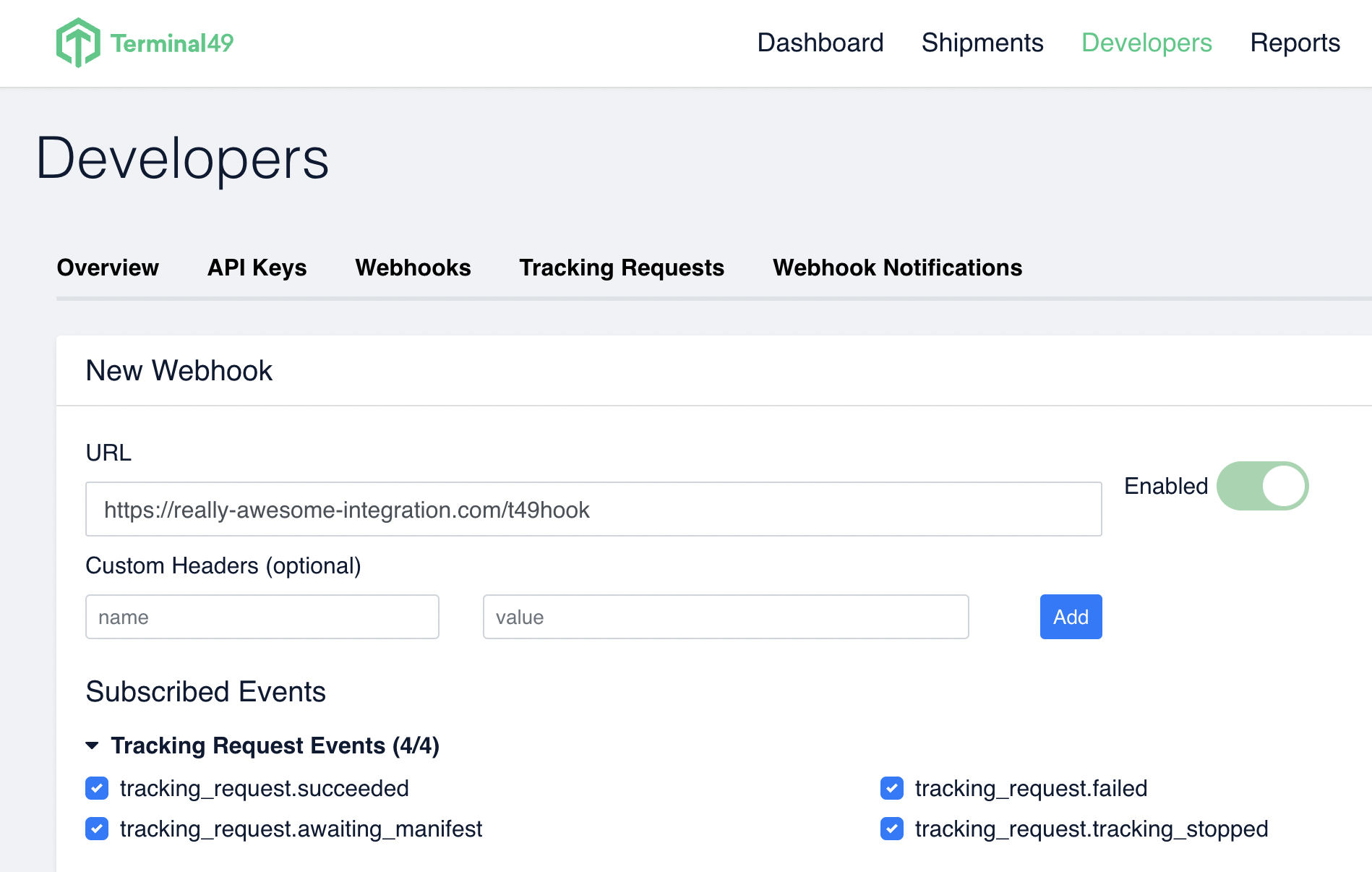
Authentication
The API uses HTTP Bearer Token authentication. This means you send your API Key as your token in every request. Webhooks are associated with API tokens, which is how Terminal49 identifies which account to send shipment updates to.Anatomy of a webhook notification
Here’s what you’ll see in a Webhook Notification, which arrives as a POST request to your designated URL. For more information, refer to the Webhook In Depth guide. For clarity, some fields have been replaced with ellipses (…) and key areas are bolded. There are two main sections: Data. The core information being returned. Included. Related objects included for convenience.Why so much JSON? (A note on JSON:API)
The Terminal49 API is JSON:API compliant. JSON:API libraries can translate the response into a full object model compatible with an ORM, which is powerful but produces larger, more structured payloads. If you parse JSON directly, this can feel verbose. For production use, consider adopting a JSON:API client library to get the most out of the format. For this tutorial, you will work with the data directly.
What type of webhook event is this?
This is the first question you need to answer so your code can handle the webhook. The type of update can be found in [“data”][“attributes”]. The most common Webhook notifications are status updates on tracking requests, like tracking_request.succeeded and updates on ETAs, shipment milestone, and terminal availability. You can find what type of event you have received by looking at the “attributes”, “event”.Inclusions: tracking requests and shipment data
When a tracking request has succeeded, the webhook event includes information about the shipment, the containers in the shipment, and the milestones for that container, so your app can present this information to your end users without making further queries to the API. In the payload below (again, truncated by ellipses for clarity) you’ll see a list of JSON objects in the “included” section. Each object has a type and attributes. The type tells you what the object is. The attributes tell you the data that the object carries. Some objects have relationships that link to other objects. The most essential related objects are included in the payload, but objects that rarely change (for example, a terminal) are not. Consider caching these locally after you query them.Code examples
Registering a webhook
Receiving a POST webhook
Here’s an example of some Javascript code that receives a Post request and parses out some of the desired data.Try it out and see more sample code
Update your API key below, and register a simple Webhook. View the “Code Generation” button to see sample code.http